Visual C++ 6
- Start Visual C++ and create a new MFC project.
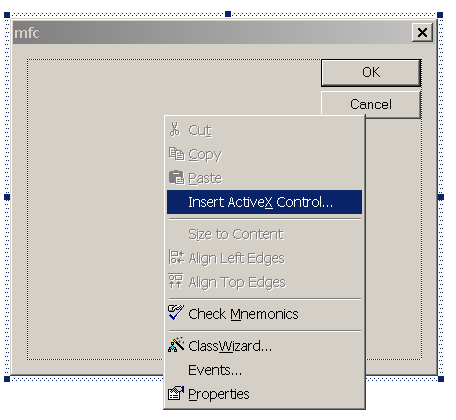
- Right click over a dialog box where you would like to insert the editor and select Insert Activex Control... as show in the screen shot below.
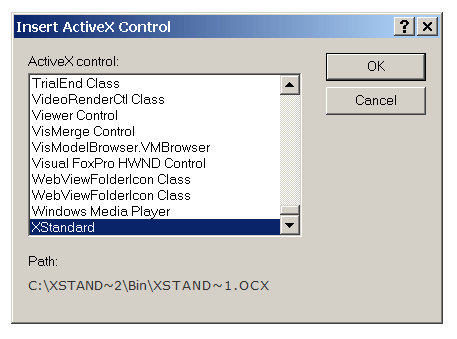
- In the "Insert ActiveX Control" dialog box, select "XStandard" towards the bottom of the list as show in the screen show below.
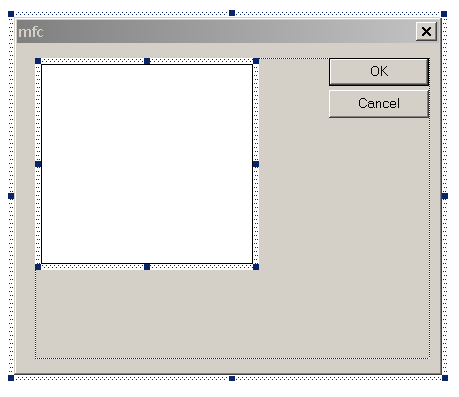
- The editor will be inserted into the dialog box as show i the screen shot below.
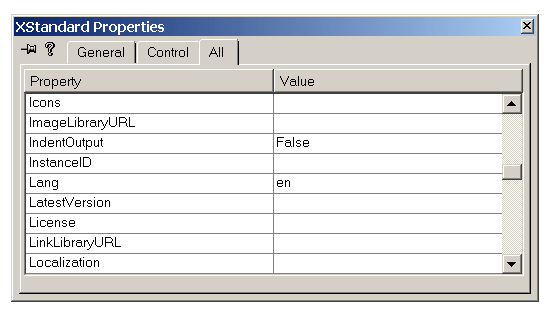
- To edit the editor's properties, right click over the editor and select Properties. "XStandard Properties" dialog box will display as shown in the screen shot below.
Note
XStandard can also be created dynamically at run-time. See code below as an example:
Crect rect;rect.left = 20;rect.right = 500;rect.top = 60;rect.bottom = 300;static CLSID const clsid = { 0x0EED7206, 0x1661, 0x11d7, { 0x84, 0xa3, 0x0, 0x60, 0x67, 0x44, 0x83, 0x1d } };//this is definition of m_Editor://CWnd *m_Editor;m_Editor = new CWnd;m_Editor->CreateControl( clsid, "xxx",WS_CHILD | WS_VISIBLE,rect,this,12346 );m_Editor->ModifyStyle(0, WS_CLIPSIBLINGS, 0);m_Editor->ShowWindow( SW_SHOW );//set property here.//set XStandard's "Value" property, its dispid is 1.m_Editor->SetProperty( 1,VT_BSTR, "<h1>Hello World!</h1>" );